
Products · Prices · Buying guides
Sugargoo Spreadsheet
Find the product, compare its options, and plan the order from purchase to delivery.
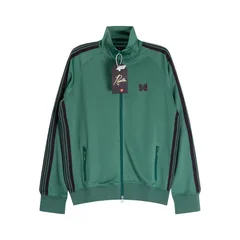
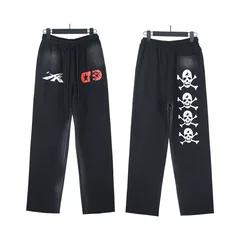
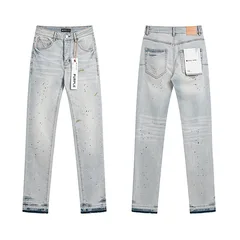
Browse product categories
What is Sugargoo, and how do you order?
Sugargoo is a purchasing and forwarding service for products from Chinese sellers. It helps organise buying, warehouse handling and the international parcel.
This independent spreadsheet brings together 2,429 product references, displayed USD prices and the corresponding Sugargoo purchase links. Use it to compare candidates; confirm the selected option and current charges on the platform before paying.
This is an independent product directory and buying guide. It is not the official Sugargoo website.
- Choose a product and its optionsUse the categories or search, then record the exact item, colour, size and quantity.
- Submit the order on SugargooOpen the product’s purchase link, confirm its options and the displayed charges, then pay the product order. Buying guide
- Review the warehouse QCCompare the received item with your saved selection. Resolve a discrepancy or request a useful view before sending it. QC guide
- Choose shipping and pay the freightSelect the items, packing and eligible route for your destination. Review the parcel quote and pay international shipping. Shipping guide
- Track the parcel and check deliveryFollow the carrier events and check the contents and condition when the parcel arrives. Tracking guide
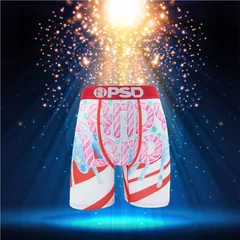 Underwear
 Socks
 Eyewear
 Belts
Start with the category you need
Choose a category in the catalog to narrow the search before comparing individual listings.
| What you are looking for | Browse in the catalog |
|---|---|
| Sneakers and everyday footwear | Shoes |
| Pullovers and zip layers | Hoodies and sweaters |
| Tees and other tops | T shirts and tops |
| Outer layers | Jackets |
| Jeans, trousers and shorts | Pants and shorts |
| Caps and knitted hats | Headwear |
| Coordinated clothing | Sets |
| Base garments and multipacks | Underwear |
| Team shirts and basketball styles | Jerseys |
| Bags, wallets and finishing pieces | Accessories |
| Finds outside those categories | Other products |
If you know the product name, use that name with a distinguishing feature such as colour or cut. A broad brand query is useful for browsing; a more precise description helps when two thumbnails look similar. Go shopping in the catalog.
Decide what the item has to do
Save a small comparison list with the product address, selected colour and size, included pieces and the price in its original currency. Put the unresolved question beside each item: sleeve length, sole type, pack count or lining. Answer that question before adding more alternatives.
Understand the buying sequence
- Discover an item and open the actual offer. Check the selected option rather than relying on the thumbnail.
- Confirm the purchasing conditions and what the order payment covers. Leave room in the budget for later transport and other applicable costs.
- When the item reaches the warehouse, compare the received item with your selection and examine relevant photos or measurements.
- Choose packing and an available shipping service using the parcel details. Follow the shipment using the reference for that stage.
What a useful spreadsheet entry contains
Test one item from discovery to the selected option
Suppose you want a sweatshirt to wear beneath a jacket. Start with the relevant category, open a promising item and find the measurements for the actual size. The collection has helped if you can check body length and room for layering without guessing which size the author meant.
Compare the information that changes a purchase
| Question | Useful information | What is insufficient |
|---|---|---|
| Can I find the same offer again | Source address and a recognisable product or item identifier | A cropped thumbnail alone |
| Does the size make sense | The measurement type, units and selected size | A bare letter such as M |
| What am I paying for | Exact item, pack count and included accessories | A collection photo of several options |
| What was actually inspected | A dated observation tied to a particular item | An unexplained quality badge |
| Can I compare cost | Currency and the same included cost stages | Two prices with different charges omitted |
Use equal cost boundaries
For an illustrative comparison, not a current offer, item A costs 114 CNY with 9 CNY domestic delivery. Its item-and-domestic-delivery subtotal is 123 CNY. Item B costs 119 CNY including that same delivery stage. B is 4 CNY lower at this stage only.
Neither figure establishes the final delivered cost. Different packing dimensions, destination charges or paid services could change the comparison. Keep unknown amounts separate; a blank field is not a zero charge. If the comparison changes the quantity or removes an accessory, it is no longer like for like.
A small, comparable shortlist
Start with the information you need: the item address, selected option, quantity, a useful measurement, price and currency, and the next question. Choose a tool that makes those fields clear on the device you actually use.
Keep numbers meaningful
Put currency and unit information beside the values. A price in CNY and one in USD should not be sorted as though the raw numbers are directly comparable. A garment width in centimetres is also not the same type of value as a suggested body-size label.
If you calculate a subtotal, make its scope clear. Product cost plus domestic delivery is not automatically a delivered total. The shipping guide and payment guide explain the other stages.
Share a product list rather than a personal transaction file
Browse products in the catalog or return to the Sugargoo spreadsheet homepage.
Turn a find into a usable product record
Give the search a practical purpose
For accessories, describe what must fit or work with them. A bag's external dimensions may look adequate while its opening is too narrow for your intended item. A strap or insert shown in a photo may be optional rather than included.
Translate style labels into visible choices
A Sugargoo old money spreadsheet may be a convenient way to browse understated clothing, but the phrase is a style label, not a material specification or a promise of quality. Identify the features you actually want: a simple collar, restrained colours, a particular trouser shape or layers that work together.
Likewise, a Sugargoo designer spreadsheet groups products by how they are presented or searched. A designer name on a row does not authenticate the product. Read the actual description and current purchasing conditions instead of treating the category as verification.
Keep a reason beside each saved option
Write why an item remains on the shortlist and the one question still unresolved. For example, a jacket might have the right length and fastening, but need a chest measurement for layering. A set might look coordinated, but need its included pieces confirmed.